
What Is SpyderScore? The 0-100 Intent Ranking Every Sales Team Needs
Sales, Lead Prioritization
What Is SpyderScore? The 0-100 Intent Ranking Every Sales Team Needs
You already paid for the leads. The real question is which ones deserve a call right now, and which ones can wait. SpyderScore from LeadSpyder turns anonymous website traffic into a clear, 0 to 100 intent score for every identified visitor, so your team always knows where to start.
Instead of treating every identified contact the same, SpyderScore shows you who is actively evaluating, who is just browsing, and who barely glanced at your site. A visitor with a SpyderScore of 90 should be at the top of your call list. A visitor with a score of 20 should go into a nurture track, not into your reps’ calendars.
How SpyderScore Works in Plain Language
SpyderScore is a 0 to 100 intent score that LeadSpyder assigns to every identified website visitor. It is calculated from behavioral signals such as pages visited, time on site, return visit frequency, and engagement with high-intent pages like pricing or contact. The higher the score, the closer that visitor is to a buying decision.
Think of it as a real-time intent thermometer for your traffic. A raw list of names in your CRM only tells you who you can call, not who you should call. SpyderScore adds the missing context, so you can focus your team on the visitors who are actually in an evaluation or decision stage, not just passing by.
SpyderScore Tiers: HOT, WARM, COOL, and COLD
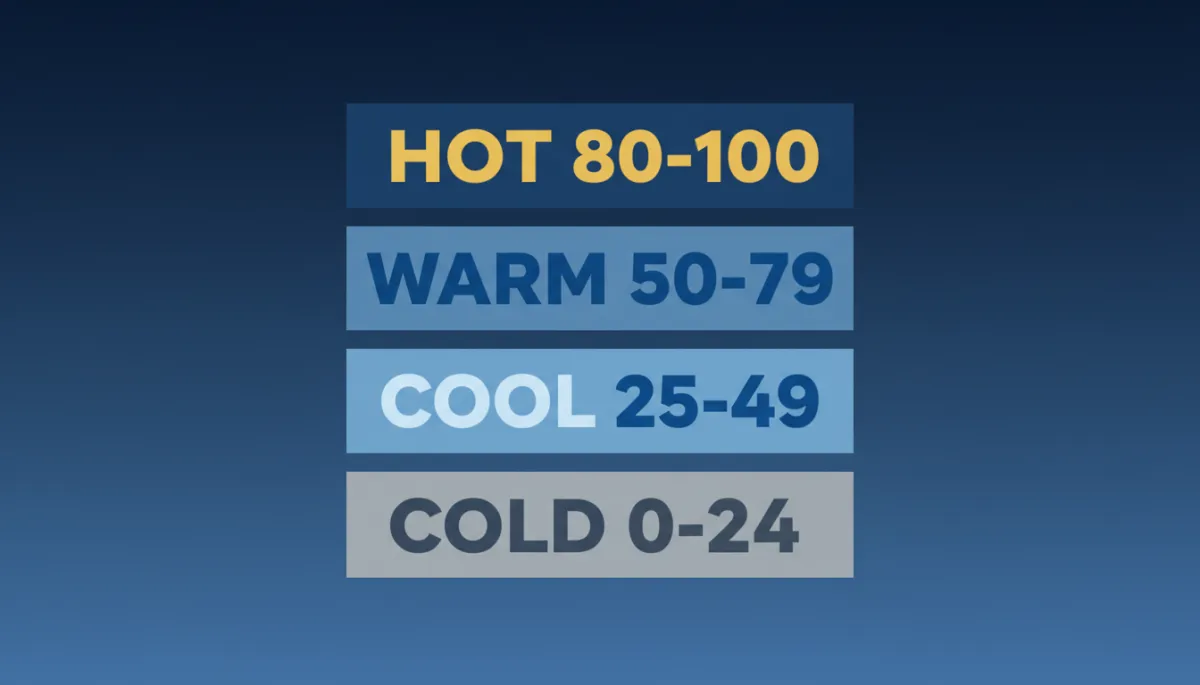
To keep things simple for sales managers and business owners, SpyderScore is grouped into four clear tiers. Each tier tells your team exactly how to treat that visitor. No complicated models, no guessing, just a straightforward priority framework.
- HOT (80 to 100): High intent. These visitors have shown strong buying behavior, such as multiple high-value page visits, extended time on site, recent return visits, or engagement with pricing, comparison, or contact pages. HOT contacts should be called immediately while they are still in research mode.
- WARM (50 to 79): Moderate intent. These visitors have engaged with your product or service content in a meaningful way, but have not yet shown the strongest conversion signals. They are good candidates for fast follow-up and short-term nurture sequences.
- COOL (25 to 49): Low intent right now. These visitors are usually at the top of the funnel, reading general content or exploring your site for the first time. They should be monitored for return visits or future high-intent actions before they get sales attention.
- COLD (0 to 24): Minimal intent. These visitors may have bounced quickly, viewed only one page, or skimmed content that does not indicate buying behavior. They are not priority contacts for your sales team today.
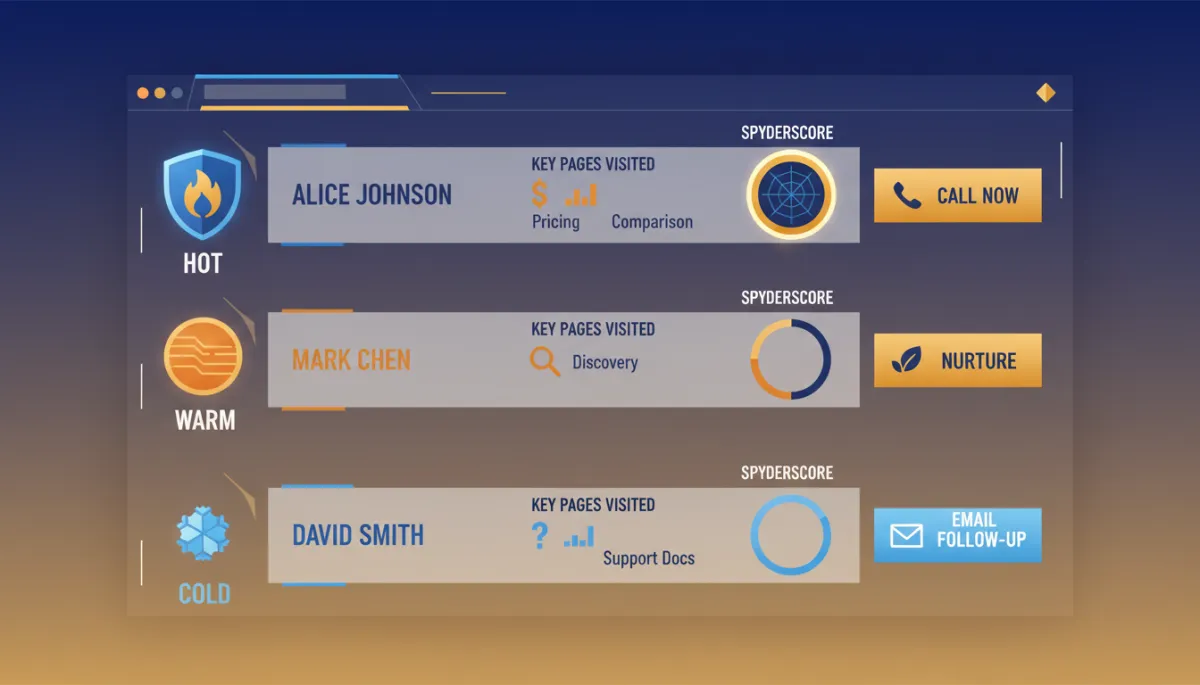
The goal is to reduce every identified visitor to three decisions for your team: call now (HOT), call later (WARM), or monitor / nurture (COOL and COLD). This structure keeps your reps focused on the highest-impact activities and cuts down on random dialing.
What Behaviors Drive a Higher SpyderScore?
SpyderScore is based on a weighted combination of behavioral signals that happen on your website. Some actions clearly indicate buying intent, while others show early interest. LeadSpyder uses this difference to calculate a score that reflects where each visitor is in their journey.
Higher-weight signals include:
- Visiting a pricing page, comparison page, or other bottom-of-funnel page.
- Viewing a contact or request page without submitting the form.
- Spending more than four minutes in a single session.
- Returning to the site within seven days for additional research.
These behaviors usually mean the visitor has moved beyond simple awareness and is actively evaluating solutions. When you see a SpyderScore in the HOT range, it is because the visitor has stacked several of these high-intent actions across one or more sessions.
Lower-weight signals include reading blog posts, checking your About page, viewing team bios, or browsing general service descriptions. These are important, but they are more about learning who you are than deciding to buy today. On their own, they tend to produce COOL scores, not HOT ones.
Return visits carry significant weight in the calculation. A first-visit SpyderScore in the COOL range can move into HOT territory after a second or third visit, even if each individual session is relatively short. The pattern of behavior over time is what matters most.
Why a Scored Visitor Beats a Generic Form Fill
Traditional lead qualification leans heavily on form fills. Someone fills out a contact or demo form, and they get routed to sales. The problem is that a form fill tells you only one thing: the visitor was willing to give you their information at that moment. It does not tell you how serious they are, how much time they spent, or how many times they came back.
With SpyderScore, an identified visitor with a score of 88 comes with a behavioral story attached. You see that they spent several minutes on your pricing page, returned twice in the last week, viewed a comparison page, and visited your contact form without submitting. That pattern of behavior is very different from a quick form fill after a 20-second visit.
“Not all leads are equal. A SpyderScore of 90 is a live opportunity. A score of 20 is a nurture candidate.”
When you combine SpyderScore with your existing form strategy, you get both identity and intent. High-scored, identified visitors often move faster through the pipeline than low-intent form fills, because the behavior behind the score is a stronger indicator of readiness than the simple act of submitting a form.
Turning SpyderScore into Sales Action with SpyderAlert
A score only helps if your team acts on it. That is where SpyderAlert comes in. SpyderAlert is configured to trigger in real time when a visitor’s SpyderScore enters the HOT range, which is 80 to 100. As soon as a visitor crosses that threshold during an active session, your team receives a notification.
The alert includes the visitor’s name, contact information, SpyderScore, and a concise summary of their behavior. You see which pages they visited, how long they stayed, and how many times they have been back. Your reps do not need to dig through a dashboard. The context arrives with the alert, so they can open a call with specific, relevant talking points.
Research on response time and conversion consistently shows a major advantage for fast follow-up. When your reps can see who is HOT and reach out within minutes, they are no longer guessing about which leads deserve that speed. SpyderScore makes the five-minute call relevant, not random, because it is backed by clear intent data.
For a deeper dive into the impact of response time on conversion, you can explore https://leadspyder.ai/blog/speed-to-lead-statistics. When you are ready to put SpyderScore and SpyderAlert to work on your own traffic, visit https://leadspyder.ai/start.
Frequently Asked Questions About SpyderScore
What is SpyderScore?
SpyderScore is a 0 to 100 intent score assigned by LeadSpyder to every identified website visitor. It is calculated from behavioral signals such as pages visited, time on site, engagement with pricing and comparison pages, and how often the visitor returns. Visitors with scores of 80 and above are considered HOT and are ideal for immediate outreach.
What behaviors increase a visitor’s SpyderScore?
Higher scores come from actions that show buying intent, including visits to pricing pages, comparison pages, and contact forms without submitting, sessions longer than four minutes, and return visits within seven days. The more of these behaviors a visitor stacks, the closer their score moves toward HOT.
How does SpyderScore help sales teams prioritize outreach?
SpyderScore turns every identified visitor into a simple decision: call now (HOT), call later (WARM), or monitor and nurture (COOL and COLD). This helps sales managers assign the right follow-up and ensures reps spend their time with visitors most likely to convert, instead of working through a cold list in order.
Does SpyderScore work better than form fills for lead qualification?
SpyderScore does not replace form fills, but it adds critical intent context that forms do not provide. A form fill tells you that a visitor shared their information. A high SpyderScore tells you that the visitor has also shown strong buying behavior across one or more sessions. Together, they create a much clearer picture of who should be called first.
What is a HOT SpyderScore visitor?
A HOT visitor has a SpyderScore between 80 and 100. This range indicates high purchase intent based on their behavior, such as viewing pricing or comparison pages, spending meaningful time on site, and returning multiple times. LeadSpyder’s SpyderAlert is designed to notify your team in real time when visitors enter this HOT tier.
Your traffic already has names on it. You just cannot see them yet.
[Start Free 7-Day Hunt] — https://leadspyder.ai/start
No contract, 30-day money-back guarantee, live in under 10 minutes.