
What Is Website Visitor Identification?
Lead Generation, Website Visitor Identification
Meta Title: What Is Website Visitor Identification? You Already Paid for the Leads
Meta Description: Learn how website visitor identification turns anonymous website visitors into named, contactable leads using a pixel and a 270M-profile identity graph—so you stop wasting the clicks you already paid for.
What Is Website Visitor Identification?
If you run marketing or sales for a small or mid-size business, this probably sounds familiar. You spend real money on ads, SEO, and campaigns, people click through, they browse your site for a few minutes… and then disappear. You already paid for the leads. The painful part is you never find out who most of those visitors were.
That’s the exact problem website visitor identification solves. It’s a way to turn anonymous website traffic into named, contactable people — with first name, last name, email address, and phone number — without waiting for them to fill out a form or click “Contact Us.”
Picture this: someone is on your site right now. They read your pricing page, compare your services, maybe come back for the third time this week. Then they leave. Without visitor identification, that person is gone forever. With it, you know exactly who they are — before they ever touch your contact form.
Below, we’ll walk through how it works, why the numbers matter, and what you can actually do with the data once you have it.
The Anonymous Traffic Problem: Why Your Funnel Leaks
Let’s start with the uncomfortable math. Across the web, about 98% of website visitors leave without filling out a form. That means only a tiny slice of the people you paid to attract ever raise their hand.
- The average B2B website converts only 2 to 3% of traffic into leads.
- So on a site with 2,000 monthly visitors, you hear from about 40 people and lose visibility on the other 1,960.
Those 1,960 visitors don’t just vanish into space. They keep researching, compare you to competitors, and eventually buy from someone. You just weren’t part of that conversation, even though you already paid to get them to your site.
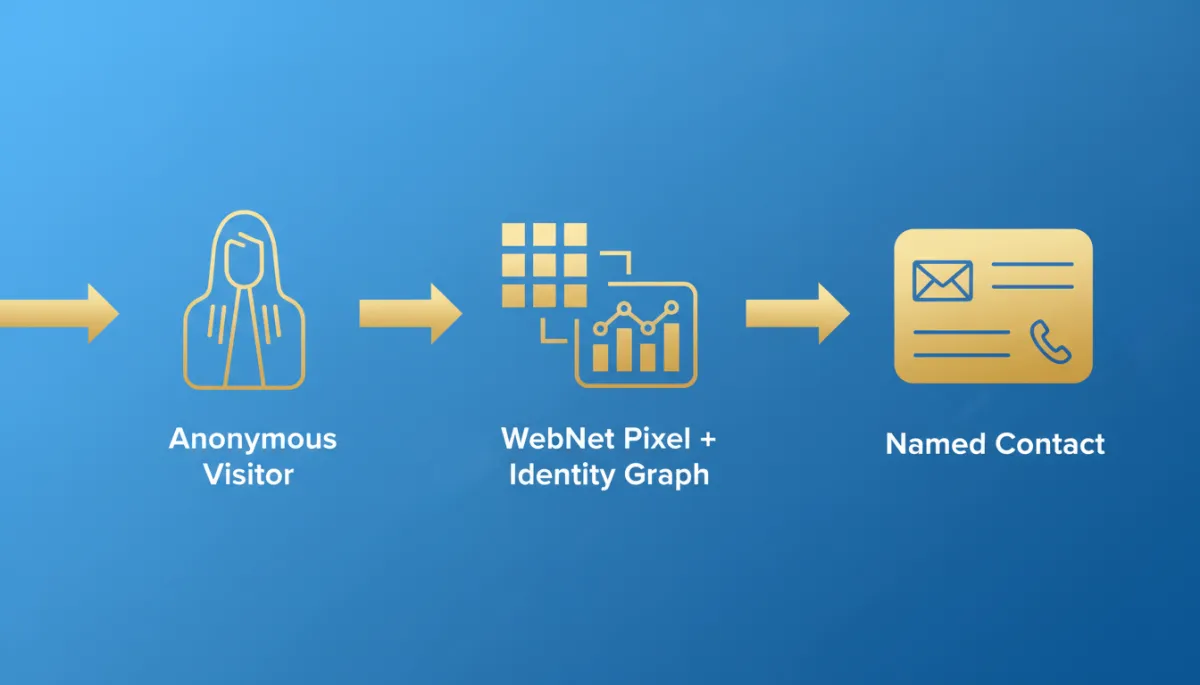
How Website Visitor Identification Actually Works
Let’s break down what’s happening behind the scenes when someone lands on your site with LeadSpyder installed. You don’t need to be a developer to follow this — think of it like caller ID for your website.
- A lightweight JavaScript pixel — LeadSpyder calls it the WebNet pixel — quietly fires in the background on each page view.
- It captures first-party signals like IP address, device type, browser, pages visited, and how long the visitor spends on each page.
- That bundle of signals is matched against an identity graph — a huge database of verified consumer profiles — to find a likely match.
LeadSpyder’s identity graph covers about 270 million U.S. consumer profiles. When the signals from your visitor line up with a record in that graph, you get a name, email address, and phone number. In many B2B cases, you’ll also see employer and job title.
This all happens in real time while the person is still on your site. They don’t need to fill out a form, download an ebook, or agree to a sales call. The match happens silently in the background.
How Many Visitors Can You Actually Identify?
Not every visitor can be matched, and that’s okay — you don’t need 100% to see a big impact. With LeadSpyder, typical match rates run about 20 to 40% of your total traffic.
- On 2,000 monthly visitors, that’s roughly 400 to 800 named contacts every month from traffic you’re already paying for.
Instead of staring at anonymous analytics charts, you see actual people with names, contact info, and what they cared about on your site.
What You See in an Identified Visitor Record
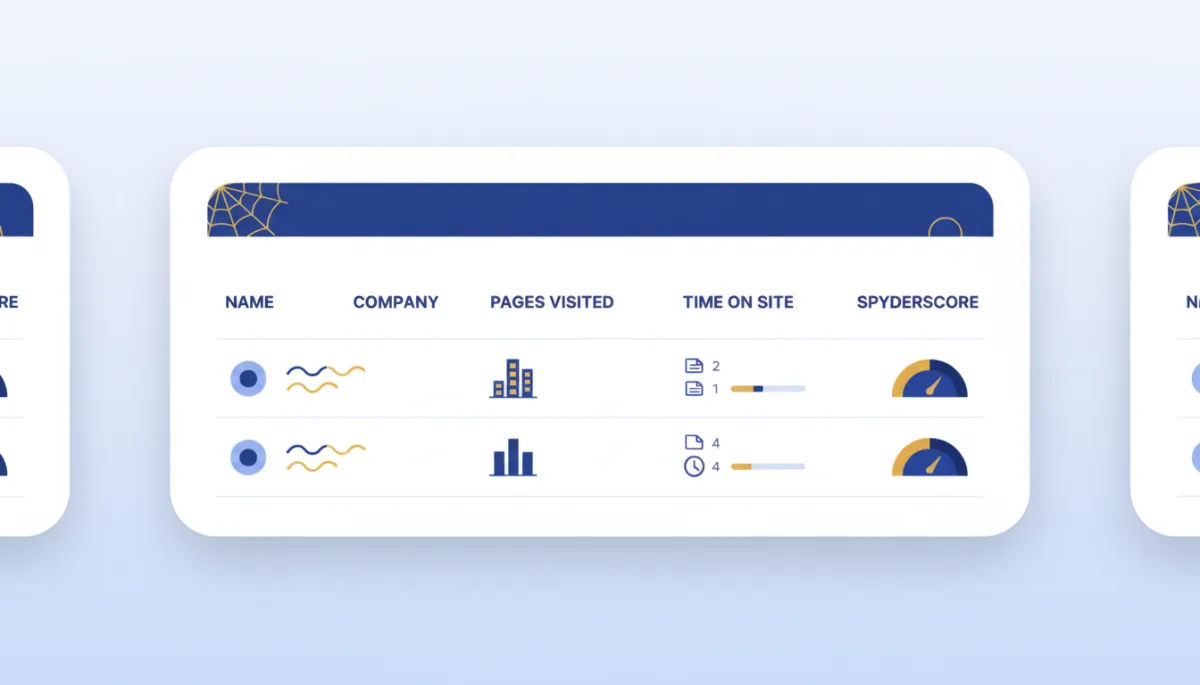
Once a visitor is matched, LeadSpyder doesn’t just hand you a name and walk away. A standard record includes both contact data and behavioral data from that session.
- First and last name
- Verified email address and phone number
- Pages viewed, order of pages, time on each page, and number of return visits
LeadSpyder then adds a SpyderScore — a 0–100 intent score based on those behaviors. Someone who visited your pricing page twice and your case studies once will score much higher than someone who bounced off your homepage in eight seconds.
The contact data tells you who to reach out to. The behavioral data tells you how interested they are and what to talk about.
Three Smart Moves Once You Can See Who’s Visiting
Once you can finally see the people behind your traffic, a few simple plays make an immediate difference. You don’t need a huge team — just a clear plan.
- Reach out fast. LeadSpyder’s SpyderAlert can ping your team the moment a high-intent visitor (SpyderScore closer to 100) lands on your site. The faster you respond, the more likely you are to start a real conversation while the problem is still top of mind.
- Use context, not a generic script. Your team already knows this person spent time on your pricing page, checked your case studies, and came back twice before today. That’s a very different call than a random cold pitch. You can open with, “I saw you were comparing plans — what are you trying to solve?” instead of “Do you have a minute?”
- Automate the handoff. With SpyderFlow, identified contacts can flow straight into your CRM the moment the match fires. No exporting spreadsheets, no copy-paste, and no two-day delay between someone visiting and your team reaching out.
Is Website Visitor Identification Legal?
Short answer: yes — when it’s done the right way. Visitor identification tools like LeadSpyder rely on publicly available data and opt-in records inside the identity graph. They don’t hack into private databases or intercept personal communications.
On your side, you should clearly disclose that you use tracking technology in your privacy policy. If you’re already using analytics or ad pixels from platforms like Google or Meta, this is the same general idea — you’re just choosing to see the identity data yourself instead of only buying anonymous audience segments.
If you work in a heavily regulated space, it’s always smart to loop in your legal team and review your specific use case. But for most local businesses, agencies, and B2B companies, visitor identification fits comfortably inside existing privacy practices.
Who Gets the Biggest Wins From Visitor Identification?
The companies that see results fastest all share one thing: they’re already paying for traffic. If you’re investing in Google Ads, Facebook Ads, SEO, or email campaigns, you’re sitting on a hidden pile of missed leads.
- A roofing company pulling named homeowners out of storm-season Google Ads clicks.
- A solar installer identifying who used the financing calculator but never requested a quote.
- A personal injury firm getting a second shot at someone who read three practice area pages and left.
The industry matters less than the math. If your site gets steady traffic and your form-fill rate sits below 5%, you likely have hundreds of named, contactable people leaving every month without a single follow-up attempt from your team.
FAQ: Quick Answers About Visitor Identification
What is website visitor identification?
Website visitor identification is a technology that matches anonymous website traffic to real people using an identity graph. A JavaScript pixel collects behavioral signals from each session, and those signals are matched in real time against a database of hundreds of millions of verified consumer profiles to return the visitor’s name, email address, and phone number — without a form fill.
How accurate is the data?
With LeadSpyder, match rates typically range from 20 to 40% of your total site traffic. The identity graph covers about 270 million U.S. consumer profiles. Desktop visitors and people arriving from search or email often match at higher rates than mobile-only or VPN traffic.
Does this require a form fill or cookie consent?
No form fill is required — that’s the whole point. Visitor identification surfaces people who would never fill out your forms. You should still disclose tracking in your privacy policy, just like you do for analytics and ad pixels.
What should I do once I have the data?
Reach out quickly and with context. Use the behavioral data — pages visited, time on site, and return visits — to tailor your outreach. LeadSpyder’s SpyderAlert and SpyderFlow features handle real-time notifications and CRM delivery so your team can act within minutes instead of hours or days.
How is this different from retargeting?
Retargeting uses pixel data to show ads to an anonymous audience segment — you never learn who those people are. Visitor identification uses similar signals to return a specific name, email, and phone number. One has you spending more money chasing anonymous clicks. The other gives you a direct line to the person behind the click.
The Next Step: See It Work on Your Own Traffic
Reading about website visitor identification is one thing. Watching 300 named contacts appear from a week of traffic you thought was anonymous feels completely different.
If you want to go deeper into how the tech works, you can explore more in LeadSpyder’s visitor identification overview at https://leadspyder.ai/blog/website-visitor-identification-software. Or you can skip straight to seeing who’s on your site today.
The WebNet pixel usually takes less than ten minutes to install. Your first identified visitors can start showing up the same day.
Your traffic already has names on it. You just can’t see them yet.
[Start Free 7-Day Hunt] → https://leadspyder.ai/start
No contract. 30-day money-back. Live in under 10 minutes.